Every note app on the Mac has quietly agreed on the same answer: your notes go on the desktop. It is such an old default that it rarely gets questioned. It is also the single reason most people stop trusting their notes.
Think about how often you actually see your desktop. You see it for a second at login, and then you open a browser, an editor, a spreadsheet, a timeline, and it is gone for the rest of the day. The desktop is the one surface on your Mac you look at least, and it is where the entire industry decided reminders should live.
Two bad options
Once a note lives on the desktop, there are only two things it can do, and neither is good.
It can hide, sitting politely behind every window you have open. Safe, tidy, and completely invisible at the moment it mattered. This is how notes get missed by people who wrote them down specifically so they would not be missed.
Or it can float on top of everything. Now it is visible, but it is visible during the ninety percent of your day when it is irrelevant. It covers your work. You start looking past it. Within a week it has become part of the wallpaper, and the one day it says something urgent, you scroll right past it.
The note and the thing it is about are almost never on screen at the same time. That is the whole problem.
What a note is actually about
Here is the thing the desktop model misses. Almost no note is about your day in general. Notes are about something.
"Client wants the intro tightened" is about one Resolve project. "Do not touch this column, it feeds the invoice sheet" is about one tab in one spreadsheet. "Reply after the contract lands" is about one email. "The staging password rotates on Fridays" is about one browser tab. Each of those has an obvious home, and it is not the desktop.
So stick the note to that home instead. Tack it to the window, the browser tab, the document, the folder, the chat, or the email it belongs to. Then the note stops being something you manage and becomes something that manages itself: it appears when you open that thing, and it hides when you look away. Not deleted, just waiting where it belongs.
That is what TackNote does, and it is the whole idea behind the app. Notes are never clutter, because they are only on screen when they are relevant. Notes are never lost, because they are attached to the work that reminds you they exist.
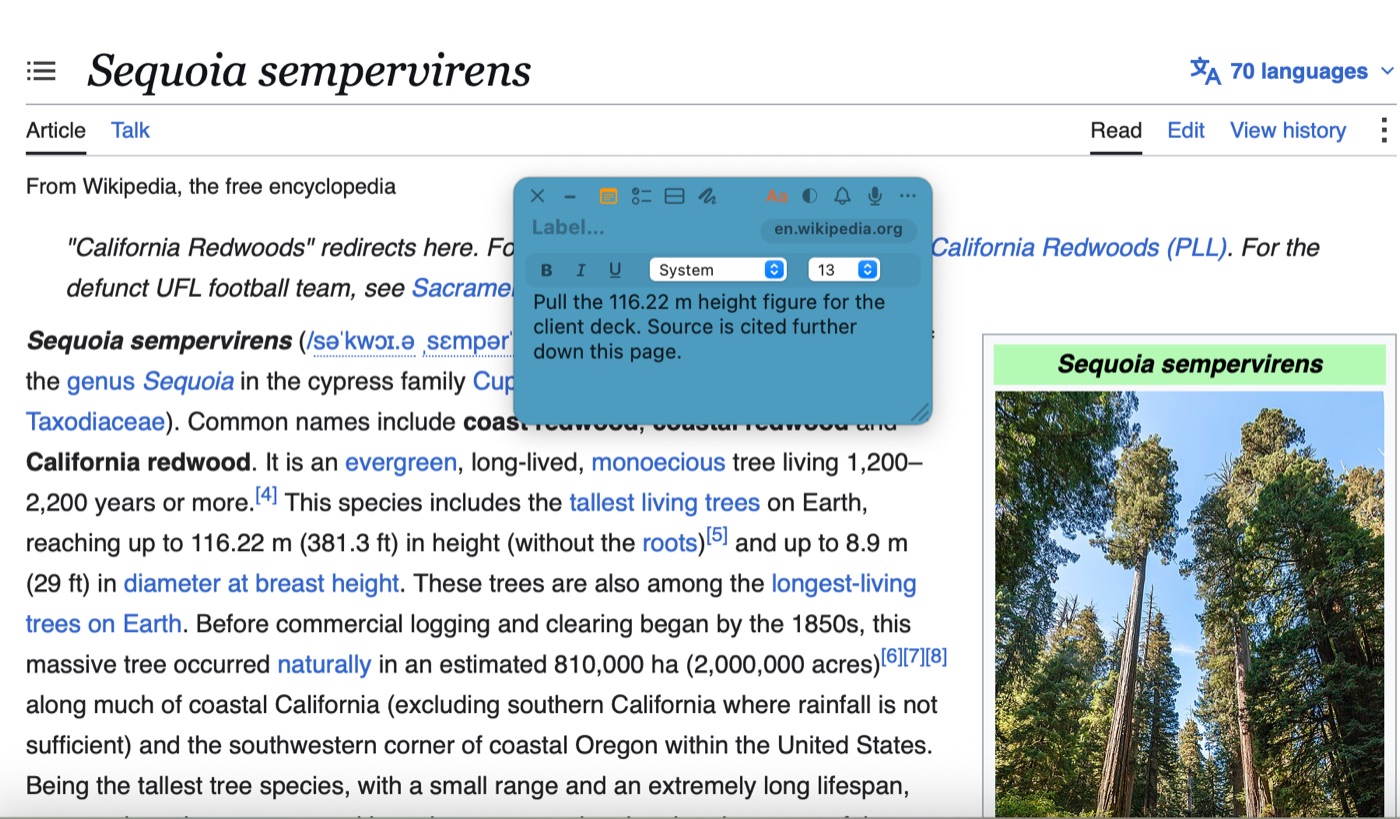
What it looks like once notes have homes
- A note on a Google Sheets tab shows on that tab and not on the others in the same file. We covered that one in per-tab notes in Google Sheets.
- A note on a DaVinci Resolve project appears when the project opens, and can narrow to a single page like Color or Fairlight. That is in keeping notes visible in Resolve.
- A note on a browser tab returns with the page in Safari, Chrome, Arc, Firefox, Edge, or Brave. See pinning a note to a browser tab.
- A note on an email appears when you open that message in Gmail or Outlook.
You stop deciding when to look at notes. The work decides for you, which is the correct order.
The part people ask about next
If notes hide most of the time, how do you ever see all of them? That is the fair objection, and the answer is the TackBoard: one board holding every note whether it is currently showing or not, filed into Projects and sub-folders, searchable across note text, checklist items, and voice memo transcripts together. Find a note there and hit Reveal, and TackNote takes you back to the window, tab, or file it is stuck to.
So you get both modes. Heads down, only the relevant note is in front of you. Stepping back, everything is on one board.
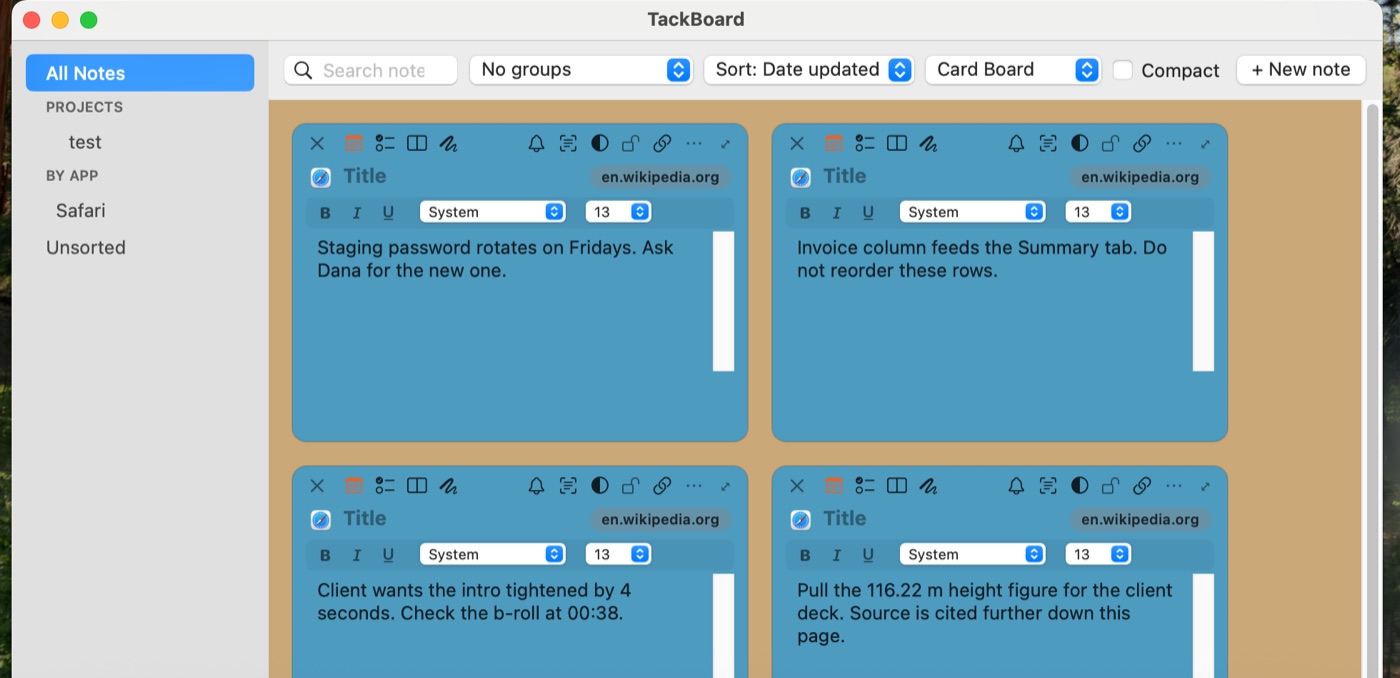
Nothing leaves your Mac
Sticking notes to your work means the app knows which documents and pages you have notes on, which is exactly the kind of thing that should never leave your machine. It does not. Notes are encrypted at rest on your Mac, there is no account to create, and voice memos are transcribed on device. If you sync between your own Macs, it goes through your own iCloud, encrypted before it leaves.
The short version
Desktop notes fail because the desktop is the surface you see least. Give each note a home in the work it belongs to and the timing problem disappears: the note is in front of you exactly when it is useful, and out of the way the rest of the time. Same quick sticky note feel, none of the pile-up.
If your notes already live in Apple Stickies or Apple Notes, TackNote imports from both, along with Evernote and plain text or Markdown, so giving them homes does not mean starting over.
Give your notes a home
7-day free trial, no card required. One-time $24.99 after that.
Download free trial