Browser work is where notes fall apart fastest. You have eleven tabs open, three of them matter, and the thing you needed to remember was about exactly one of them. A note on the desktop cannot tell those tabs apart, so it is either shouting at you on all of them or invisible on all of them.
What tab level notes actually mean
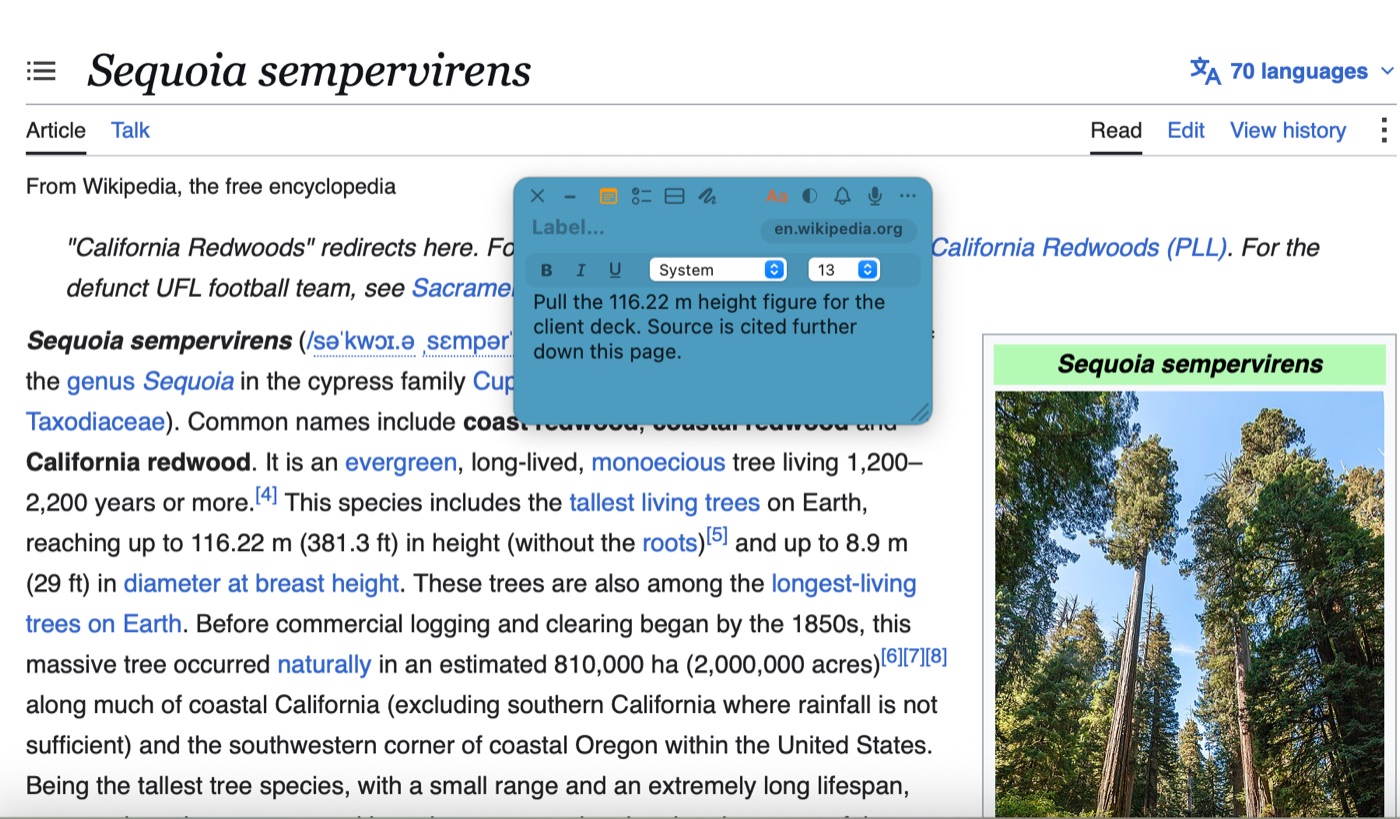
Tying a note to a browser tab means the note is scoped to a page, not to the browser. Return to that page and the note is waiting. Move to the next tab and it steps out of the way. Nothing to toggle, nothing to remember.
That distinction matters more than it sounds, because the alternative is a note that says "check the shipping numbers" hovering over a page that has nothing to do with shipping.
Doing it with TackNote
TackNote supports this across the browsers people actually use on a Mac: Safari, Chrome, Arc, Firefox, Edge, and Brave.
- Open the page you want the note to belong to.
- Create a note, with the menu bar icon or the global keyboard shortcut.
- Set the note's binding to that tab. The binding pill on the note shows what it is currently tied to, so there is never any doubt about where a note will appear.
From then on the note follows the page rather than the window. Close the tab and reopen it later and the note comes back with it.
Going narrower than a page
Some web apps are really many workspaces behind one address. Google Sheets is the clearest case: a single spreadsheet holds separate tabs, and a note about your Q3 tab has no business appearing on the Summary tab. TackNote can scope a note to an individual sheet tab, not just the document. We wrote that one up separately in per-tab notes in Google Sheets.
The same idea covers webmail. A note tied to a specific message in Gmail or Outlook appears when you open that thread and stays out of your inbox the rest of the time.
Finding tab notes again
Because these notes hide by design, the TackBoard is where you see them all at once: every note, showing or hidden, filed into Projects and sub-folders and searchable across note text, checklist items, and voice memo transcripts. When you find one, Reveal takes you back to the tab it belongs to instead of leaving you to hunt for it.
Notes stay encrypted on your Mac, and there is no account to create, so page addresses you have tacked notes to are not leaving your machine.
The short version
A note about one page should live on that page. Tie it to the tab, let it hide everywhere else, and use the board when you want the whole picture. Browser clutter stops being a discipline problem and starts being handled for you.
Give your notes a home
7-day free trial, no card required. One-time $24.99 after that.
Download free trial