There are only two settings most note apps offer: on the desktop, where notes get buried, or always on top, where they cover your work. Both are answers to the same question, and both are wrong most of the time.
Why always on top stops working
Pinning a note above every window feels like the fix for about a day. It genuinely solves burial: the note is always there. The problem is that it is always there. It sits over your document while you write, over your timeline while you edit, over the video you are watching. Within a week your eyes route around it the same way they route around a banner ad.
Then it gets worse, because one note becomes four. Now a corner of your screen is permanently unusable, and the notes you actually needed are mixed in with the two that stopped being relevant on Tuesday.
A note you have learned to ignore is doing less than no work. It is costing you screen space too.
The middle path
The useful version of "stays on screen" is not always. It is when the thing it is about is in front of you.
Most reminders are not about your day in general. They are about something specific: this document, this client's project, this browser tab, this email thread. That note only needs to exist when you are looking at that thing, and it is pure noise the rest of the time.
TackNote works this way. You tack a note to a window, a browser tab, a document, a folder, a chat, or an email. From then on it manages its own visibility. Open the thing, the note appears. Switch away, it hides. Not deleted, just not in your way. You get the reliability of always on top with none of the permanent clutter, because visibility is decided by relevance rather than by a checkbox.
What that looks like day to day
- A note tacked to a Google Sheets tab appears on that tab and not on the others in the same document.
- A note on a DaVinci Resolve project appears when that project is open, and can be narrowed further to a single page such as Color or Fairlight.
- A note on a browser tab appears in Safari, Chrome, Arc, Firefox, Edge, or Brave when you return to that page.
- A note on an email appears when you open that message in Gmail or Outlook.
When you do want everything at once
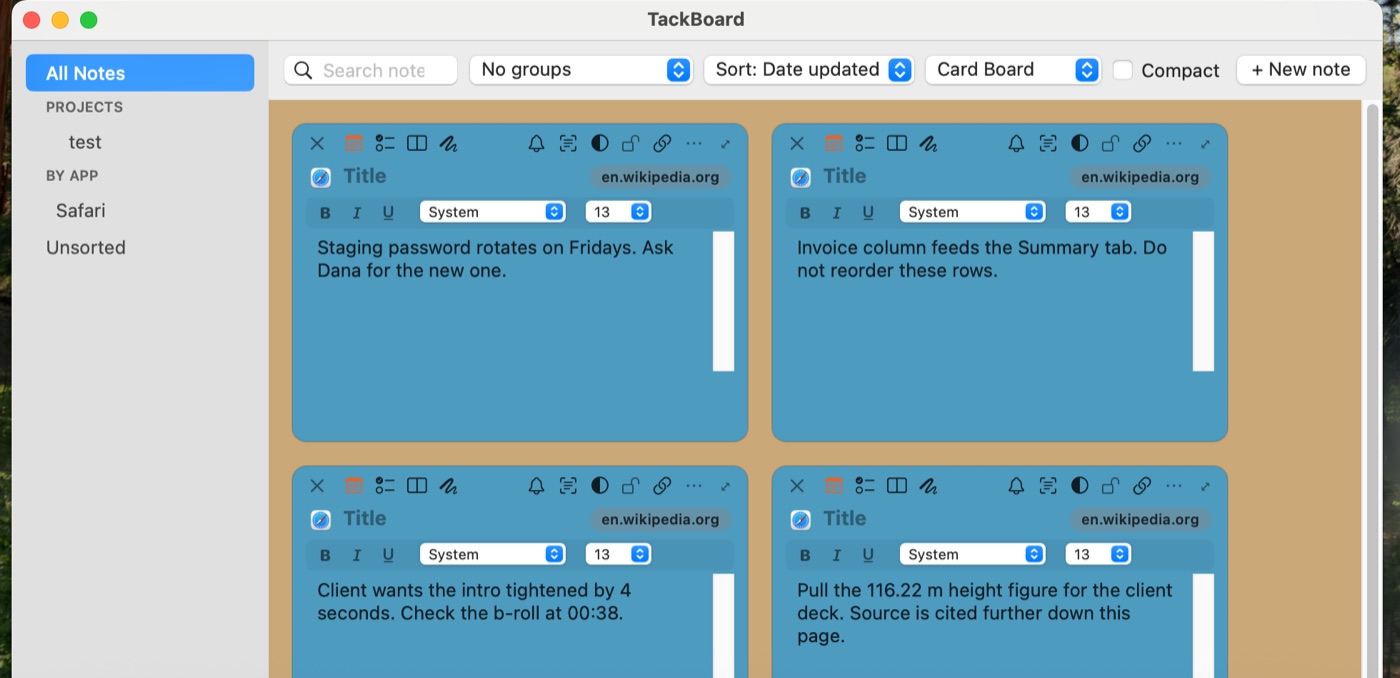
Context anchoring means notes are hidden most of the time, which raises a fair question: how do you see them all? That is what the TackBoard is for. Every note on one board whether it is currently showing or not, organized into Projects and sub-folders, searchable across note text, checklist items, and voice memo transcripts. Find the note you want, hit Reveal, and TackNote takes you back to the window, tab, or file it belongs to.
There is also a global keyboard shortcut for a new note, so capturing a thought never means hunting for a window first.
The short version
Always on top and on the desktop are both blunt instruments. One buries your notes, the other buries your work. Tie the note to its context instead and the visibility question answers itself: the note is on screen exactly when it is useful, and gone when it is not.
Give your notes a home
7-day free trial, no card required. One-time $24.99 after that.
Download free trial